01
Application

Personnalisation
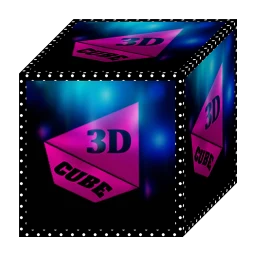
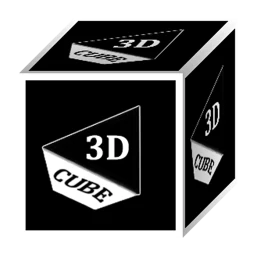
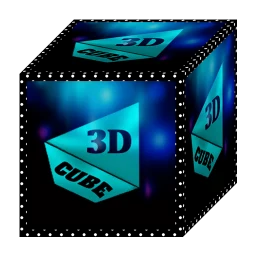
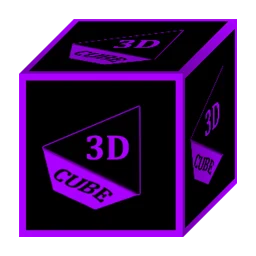
3D Colorful Flat Icon Pack
illMatic
★ 9.1
Varies

illMatic
Beautiful 4D Icons for mobile phones and tablets
✓Kiểm tra tương thích trên thiết bị của bạn
Faites glisser pour explorer
Note: It takes at least 30 minutes to design each icon therefore I started with system apps and a few popular apps. I will update as often as possible.
One UI Launcher (Samsung default launcher) is supported using Theme Park.
IMPORTANT: You need a Custom Launcher to use this app (Supported Launchers are Listed Below), I recommend Nova Launcher.
Install Notes: • Install and open the app. • Tap on 'Apply' select your installed launcher or apply via your custom launcher, Done. • Navigate to app drawer to preview icons, wallpaper, icon request, faqs and app settings.
Features: • 200+ Icons • Icon Request • Analog Clock (Widget) • 31 Dynamic Calendars • Wallpaper save location • App Light and Dark theme • FAQs with search function • Option To Bookmark Icons • Option To Search Wallpapers • 478 Live and Static Wallpapers • Icon previews with search function • Localization: Supports 19 languages • Quick apply for your default launcher • Regular & Premium Icon Request Options • Firebase Cloud Messaging (Update Notifications) • Supports 42 launchers, there probably be more supported launchers which I haven't tested yet.
Compatible with the following Launchers: Action, ADW, Apex, Blackberry, CM Theme Engine, Flick, GO, Holo, Holo HD, Hyperion, Kiss, Lawnchair, Lg Home, Lucid, Microsoft, Neo, Niagara, Nougat, Nova, One UI, Pixel, Poco, Posidon, Smart , Solo, Square & ZenUI.
Fully Compatible but not Included in Apply Section: Apply via your Launcher ABC, Arrow, ASAP, Apolo, Atom, Aviate, Cobo, Computer Launcher Win 10 Gold, Evie, GO-EX, Launch by Quixey Launcher, Line, M, Mesh, Mini, Next, Novel, Open, Peek, V, Windows Launcher X Prime, Z & Zero.
N.B: I have tested on the above launchers, there might be more supported launchers which hasn't been tested yet.
How To Change Icons Manually:
1.Tap and Hold down on the icon then release it, then a small pop-up will appear. 2.It will allow you to change the icon and the name. 3.Select the icon, this will show your icon packs, select 4D Red and choose your icon (Built-in Search Feature within the App), select it then tap Done.
Youtube tutorial: https://www.youtube.com/watch?v=meRNXf0QB9A
0.0/10 from 0 reviews
| Caractéristique | Version 7.8 | Version 7.9 (Dernière) |
|---|---|---|
| Nom du package | com.ronald.teal.fold.iconpack | com.ronald.teal.fold.iconpack |
| Version | 7.8 | 7.9 |
| Mise à jour | 6 sept. 2026 | Date de sortie indisponible |
| Taille | 25.54 MB | 30.12 MB |
| Android requis | Varie selon l’appareil | Varie selon l’appareil |
| Architecture | arm64-v8a | arm64-v8a |
| Signature | Inconnu | Inconnu |
| Licence de l’application Google Play | Inconnu | Inconnu |
KHÁM PHÁ RIÊNG CHO BẠN
Đang nhận diện Android và ABI từ trình duyệt…
Xu hướng theo khu vực đã chọn.
Dựa trên app và danh mục bạn vừa xem.
Personnalisation
Personnalisation

Personnalisation
Personalization
Personnalisation
Personalization
Personnalisation

Personnalisation